Webflow or Framer: Which Platform to Use for Digital Projects?

In recent years, I've seen more and more professionals in doubt about which path to take to create digital experiences, especially when thinking about the choice between Webflow and Framer. After all, both tools occupy prominent positions when it comes to visual development, without code, for companies looking for agility, autonomy and high quality in their digital platforms. The answer depends on the type of project, the team involved and, of course, the business objectives.
Throughout this article, I want to share my analytical view of what differentiates each solution, provide practical examples and indicate valuable criteria for safely deciding which platform to embrace, considering trends in AI and digital integration. I speak as someone who has accompanied dozens of teams testing, adapting and optimizing flows on this journey. Time to organize everything for you, in detail!
Platform overview: visions of code-free development
Today, digital creation platforms have changed the role of designers and developers. No-code development is no longer just an emerging movement; it's a reality and has a direct impact on the speed of delivery and renewal of websites, apps and corporate portals. What used to be the privilege of teams with many programmers has become the routine of hybrid squads, capable of creating robust projects with the support of visual design combined with accessible technical resources.
Webflow and Framer are based on the same principle, but were designed for different audiences and uses. In my experience, understanding these differences is the key to making a strategic decision.
Webflow: structure, customization and advanced management
Webflow is a robust solution for creating fully customizable websites, with a customization layer close to traditional front-end code. Its visual editor translates CSS, HTML and animation resources natively, allowing virtually unlimited freedom for those who need to deliver unique projects. In addition, its integrated CMS system, SEO resources and integrations with automations greatly broaden the scope of projects, making it a very common choice for institutional sites, portals, dynamic blogs and even e-commerce (e-commerce with limitations in Brazil).
Framer: rapid prototyping, interaction and animations
Framer has interactive prototyping in its DNA. It has gained ground among designers due to its ability to create complex animations, experiences rich in micro-interactions and fluid navigation concepts almost "from scratch", without the need for code. Its visual editing is agile and favors quick interface tests, as well as offering simple publication of prototypes for validation with the client or end users.
In my opinion, choosing the right solution means deciding how much flexibility, scalability and digital interaction you need.
With this context, it's easier to understand which way each platform "pulls" when we think about concrete application in digital business.
Practical advantages and use cases
When does webflow make sense?
I've seen teams gain autonomy to create content on a daily basis thanks to Webflow's CMS functionalities and granular SEO control. Projects where multiple authors need to edit sections, areas with featured products, portals that depend on integration with CRM and external systems... In all these situations, I noticed that the integrated management and visual dashboard saved many hours of technical alignment. I'd highlight the following as practical examples of application:
Institutional websites with a high demand for content and customization for each area;
Landing pages for campaigns with detailed SEO and visual control;
Online stores that don't need highly customized backend resources, but do require product registration, variations, checkout and payment system already included;
Dynamiccorporate blogs with multiple users publishing and different categories;
Content hubs where automations create, schedule and trigger content according to defined flows, integrating with other platforms via API or automation tools.
This ecosystem makes Webflow a valuable choice for growing companies looking to scale without "tying" the team to a specific technical framework. And from a maintenance point of view, the long-term cost is often positively surprising due to the ease of updating without the need for developers at every change.
Where does framer stand out?
Fast design, bold interface and distinctive animations? My experiences show that Framer shines in this context. It speeds up prototyping cycles, allows you to test innovative user experience approaches and delight in presentations to stakeholders. Especially when the aim is to innovate in digital product design or seek a disruptive look.
Navigable prototypes for commercial or usability demonstrations;
Unique pages with interactive storytelling, using customized animations;
Visual portfolios where transitions and micro-interactions are essential to convey the value of the work;
One-page" experiences that require differentiated navigation and visual impact;
A/B interface tests where quick changes make it easier to validate interactions, buttons, movements or effects;
Promoting digital products by presenting functionalities in a visually engaging way.
Even for those who want to launch experimental versions or animated MVPs, I note that Framer can be an alternative for communicating a product's potential even before final development.
Need deep customization? Webflow delivers flexibility
There's an essential point I've learned from working with design and marketing teams on digital projects: in general, Webflow is best suited when the client wants to simulate the power of code, but with the autonomy of visuals. Interface elements, grid, customized breakpoints, API integrations and advanced CSS class control are part of the tool's day-to-day. I strongly recommend it in situations such as
Projects with a complex visual identity or strict branding rules
The need for multiple responsive layouts (mobile, desktop, tablet, etc.)
Authentication systems or restricted areas for members
Accessibility-related demands and detailed technical SEO
Detailed content management, listing posts, products, categories and events
Webflow's CMS system speeds up the lives of writers and editors, while the designer controls margins, padding and positioning with surgical precision, as I've learned from testing several layout variations on projects for demanding sectors. In addition, native integration features with external systems open the door to automation, such as forms that create leads directly in CRMs, email marketing platforms, or even customized databases.
Looking for speed and different experiences? Framer answers
If you're looking to create temporary landing pages, interactive presentations or explore new ideas in the field of animation, I recognize Framer as a fast ally. The intuitive panel allows you to quickly modify layers, add transitions and test effects, all with real-time visual feedback. For startups in the ideation process or for UX teams interested in validating interactions, this is an agile tool that boosts creativity.
When I showed prototypes created in Framer, I quickly noticed a positive reaction from customers, especially when they experienced fluid transitions between pages and micro-animations on buttons. And this is something that is difficult to achieve as quickly with other solutions focused on ready-made websites or structured CMS systems.
Prototyping with freedom speeds up decisions and generates empathy between teams and clients.
Comparing collaboration resources
Another crucial point these days: real-time collaboration and integration between functions. Here, my experience shows differences between the platforms; both offer solutions, but with their own objectives.
Webflow has an invitation system for editors, allowing multiple members to add, change and approve content. This is useful for large teams, with separation of functions (writing, design, proofreading, etc.).
Framer prioritizes designer collaboration in creative flows, with comments, markups and instant visualization of changes to animations and navigation flow.
While Webflow makes it easier for multidisciplinary teams to work together, Framer makes visual iteration more fluid, especially in UX and digital product squads.
If the idea is to grow the site with several editors, Webflow tends to deliver more complete solutions. For projects that require quick design decisions, Framer offers the flexibility to "rework" the interface in an agile way.
Learning curve: who learns fastest?
The learning curve is one of the factors most often questioned by the professionals I work with. And, contrary to what many people think, both Webflow and Framer don't require advanced programming knowledge, but they do require an understanding of digital design concepts and building blocks.
For those who already understand visual and web design
In both cases, designers with a UI/UX background learn quickly. For these profiles, Framer offers an approach close to design software, with drag and drop, layers and intuitive animation timelines.
In Webflow, the power comes from understanding the fundamentals of CSS (classes, inheritance, grid, responsiveness). At first, it may seem dense to those who have never built a website, but after the second or third publication, the logical panel and the "what you see is what you get" editing mode make the process much easier.
For those with a technical background
Developers with experience in CSS, HTML and Javascript feel more at home in Webflow, as the transition to more advanced customizations and integrations is natural. On the other hand, in Framer, deeper code customization (such as scripts or external integrations) tends to be limited or require adaptation, especially when the platform prioritizes creative flows without programming.
Customization, CMS, SEO and automations: a detailed look at webflow
In projects where the constant updating of content is part of the business, such as blogs, cases and periodic landings, it is worth reinforcing some of Webflow's strengths:
Robust CMS: Allows you to register different types of content, link posts and manage authors. Flexibility to create complex repositories, essential for news portals or digital pain areas in the company.
Improved SEO: Direct control of titles, descriptions, canonical tags, sitemap and other sensitive points for organic indexing. This directly impacts visibility on Google.
Programmatic integration: REST APIs are easily connected, paving the way for integrations with third-party tools, CRMs, ERPs and marketing automation platforms.
These differentiators often appear in feedback from clients who are looking to migrate from limited platforms to have more freedom and strategic control over their content, without having to rely so heavily on technical support on a day-to-day basis.
Accessibility and responsiveness
Increasingly, accessibility requirements and adaptation to different screens are mandatory. I've seen that Webflow allows you to configure accessibility tags, mark images with alt text, adjust colors and contrasts in accordance with international standards.
Framer also allows visual control over responsiveness and has user experience-oriented tools, but in general it doesn't delve as deeply into technical or regulatory aspects of accessibility as Webflow. However, both deliver responsive sites ready for performance on cell phones, tablets and desktops, with real-time previews.
Accessible websites extend the brand's reach and meet legal and social requirements.
Cost-effectiveness and billing models
Initial investment is another factor I often evaluate with teams that want to grow in a scalable way. Both have "freemium" models for initial use, but the real value comes as the project is structured. I notice important differences:
Webflow offers free plans for limited tests, but requires a subscription for projects in production, especially those that use CMS functionalities, advanced SEO and automations. The monthly price varies according to active resources, the number of projects in the portfolio and hosting and domain needs.
Framer is usually competitive in terms of cost, especially for prototyping and experimental sites published on its own domain. Paid plans offer more collaboration features, animations, project limits and integration with analytics.
In the long term, I see an advantage to Webflow when the budget allows for company growth (more pages, more users, greater customization, strategic SEO). For experimentation, MVPs or spot projects, Framer delivers excellent value with a low initial investment.
Documentation, support and community
A good knowledge base and access to active communities make a difference for those diving into the resources of these platforms. Detailed documentation, tutorials, user forums and constant updates to the tool are basic requirements to guarantee autonomy for the team. Both environments have
Bases of official articles and tutorials, covering basic to advanced implementation;
Public and private groups where professionals exchange tips, share resources, answer questions and share experiences;
Frequent updates, launching new features and keeping up with trends in the digital market.
For me, these points provide security and enhance learning, since doubts can be solved in a few hours, both by official sources and with the help of the community. This avoids bottlenecks that are common on platforms that are poorly documented or don't have active, engaged users.
External integrations: connecting digital platforms
The value of no-code solutions increases even more when they connect various stages of the digital funnel. In this scenario, the ability to integrate external tools is, for me, a key advantage:
In Webflow, integrations with CRMs, automation tools, payment platforms, analytics, chatbots, databases and custom APIs flow directly via native settings and scripting capabilities.
Framer relies on widgets, plugins and embeddables: videos, audio players, interactive maps, external forms, comment features and analytics can be inserted into the project with a few clicks.
Both platforms adapt well to the growing digital ecosystem, optimizing marketing routines, campaigns and automated flows.
The ease of connecting the chosen solution to other tools in the digital stack has an impact not only on team productivity, but especially on the ability to innovate in campaigns, measure metrics in real time and personalize experiences for each audience.
Trends: AI, automation and the future of no-code
I can't fail to mention that today, the integration of artificial intelligence and automation is defining new horizons in visual development. According to the report highlighting how artificial intelligence is transforming information search and discoverywe see a growing movement of platforms implementing resources that suggest layout changes, optimize images, adapt content according to navigation patterns and even facilitate automatic translations.
On Webflow, I've already seen AI-assisted generation features for texts, automatic creation of alt texts, content classifications and suggestions for SEO based on predictive analysis. This greatly shortens review and publishing cycles, making publishers and marketing teams even more autonomous.
Framer, on the other hand, invests a lot in automating transitions, animations based on interaction patterns, adapting fluid navigation and automatically generating graphic assets, always maintaining an emphasis on creativity and innovation in the visual experience.
What is really noticeable is that platforms are moving towards an era where AI will be increasingly central not only in the backend, but in supporting creative decisions in the frontend. For teams that update quickly and know how to test new features, this is a real competitive advantage.
Automation and AI make digital design more inclusive, faster and more democratic.
Criteria for choice: how to decide?
Faced with so many options, how do I suggest making an informed decision? The key is to map out four main aspects:
Objective of the project: Is it a long-term institutional site or an experimental prototype?
Team involved: Is the team more technical or creative? Do they need to collaborate on content/marketing or design/interaction?
Scalability and maintenance: Will the site grow a lot in terms of pages, users and integrations? Will it be updated frequently?
Technical needs: Does it require deep customization, complex integration, advanced SEO or just speedy launch?
My experience shows that dedicating a meeting to mapping out these answers, with all the stakeholders present, reduces risks and anticipates any limitations of the choice. It's a worthwhile investment of time.
Practical examples for different business profiles
To make it even clearer, below I've put together some typical application profiles that I've followed in recent projects, with the rationale for the choice:
SaaS startup in the fundraising phase: Needs to quickly create high-converting landing pages with an innovative visual pitch. In this scenario, Framer's ease of prototyping speeds up iterations and enables fast A/B testing. The goal is to learn and adapt.
Local business migrating to digital: Looking for a robust institutional website, with a blog and customer registration area. The answer tends to be Webflow, for its advanced content management, SEO, integrations and the possibility of e-commerce if the business scales.
Creative design agency: You want to show a portfolio with impressive animations and micro-interactions. I see Framer as the best option, as it reinforces creative flexibility and the ability to come up with disruptive ideas in layouts.
Traditional company with highly updated content: The marketing team needs autonomy to upload cases, news, update product areas, without depending on developers. Webflow offers a practical control panel, users separated by permission, and direct publishing with mapped SEO.
Launching an MVP or digital experiment: The aim is to present a new concept to investors or users. Framer's speed of iteration and favorable prototyping supports this type of initiative.
The difference, in short, is between customization, structure and automation (Webflow) versus speed, animation and visual innovation (Framer). Understanding these blocks helps to avoid being held hostage by generic promises and to choose according to the real needs of the project.
Professional profiles: who benefits most from each platform?
While Webflow attracts designers with a structured vision and developers who want visual agility without sacrificing technical logic, Framer mainly connects UX/UI designers and product teams interested in constantly testing visual and interactive limits.
Webflow: Ideal for digital marketing, branding teams and developers looking for fine layout control, scalable publishing processes, automations and management of various types of content.
Framer: Perfect for squads focused on visual innovation, navigation testing, robust animations and validating ideas with clients and users in short cycles.
In today's digital business landscape, I even see mixed teams using the two platforms for complementary purposes: prototyping in Framer, final structuring in Webflow, migrating concepts tested in the initial stage to the production environment. This makes it possible to maximize results and adapt the proposal quickly, without reworking.
Writing automation, AI and academic trends
The influence of AI goes beyond design: it impacts the very creation and personalization of content. Modern solutions already make it possible, for example, to quickly identify the use of automatic writing tools and guarantee the integrity of the output, as illustrated by the advances in academic integrity verification solutions in universities.
This context reflects the future of digital projects: intelligent tools helping not only to publish, but to monitor, adjust and continuously evolve the materials presented to users. And in this scenario, choosing a platform capable of evolving along with these trends becomes a market differentiator.
Conclusion: webflow or framer, how do I decide?
In all these years of following digital businesses, I've come to realize that the definitive answer to "which is better" lies in clearly identifying the problem to be solved and aligning expectations with the team. If you're looking for flexibility, automation, content management, strategic SEO and a structure for growth, Webflow could be the way to go. For experimental projects, interactive prototypes, bold animations and rapid validation, Framer fulfills its mission like few others.
My tip is: don't get hung up on fads or generic "top 5 lists". Thoroughly evaluate your team's demands, the recurrence of updates, the complexity required, the budget available and the ability to integrate with external resources.
Both platforms represent the evolution of digital: they democratize creation, empower creative teams and accelerate results. The trick is to choose what makes sense for your context and be ready to migrate, test and adapt whenever necessary.
The best digital project is born from the marriage of strategy, creativity and a conscious choice of tools.
Frequently asked questions: webflow or framer
Which is better: Webflow or Framer?
The choice between the platforms depends on the objective: Webflow best suits those looking for advanced customization, content management, SEO, integrations and e-commerce. Framer is the answer for rapid prototyping, differentiated animations and innovative interactive experiences. Always assess the needs of the project and the profile of the team before deciding.
Which platform is easier to use?
For those who already work with visual design, Framer's learning curve tends to be smoother, due to the intuitive interface geared towards prototyping. Webflow requires a little more understanding of HTML/CSS fundamentals, but is also beginner-friendly after a few hours of practice. For basic uses, both are accessible and facilitate visual creation without the need for code.
Which projects are Webflow and Framer good for?
Webflow is suitable for institutional websites, blogs with CMS, corporate portals, SEO-optimized landing pages and structured online stores. Framer, on the other hand, excels at prototyping rich interfaces, interactive presentation pages, creative portfolios and quick navigation and animation tests. They are complementary solutions and fit into different phases of the digital development cycle.
How much does it cost to use Webflow or Framer?
Both offer free versions with limitations, but for advanced features or professional production, you need to subscribe to paid plans. With Webflow, the price varies according to the volume of pages, use of the CMS, integrations and hosting. In Framer, the cost is associated with collaboration features, number of projects and customizations. I recommend looking at each tool's updated plans before deciding.
Is it easy to migrate from Webflow to Framer?
Direct migration between the platforms is not automatic, as the concepts of structure and animation are different. Visual elements, texts and images can be transferred manually, but advanced CMS functionalities, workflows and SEO from one environment are not easily replicated in the other. Consider this demand when planning your platform strategy.
 What is Webflow? Discover the platform that is transforming the creation of websites without code
 How RMD facilitated Alice's content management with Zapier and Webflow
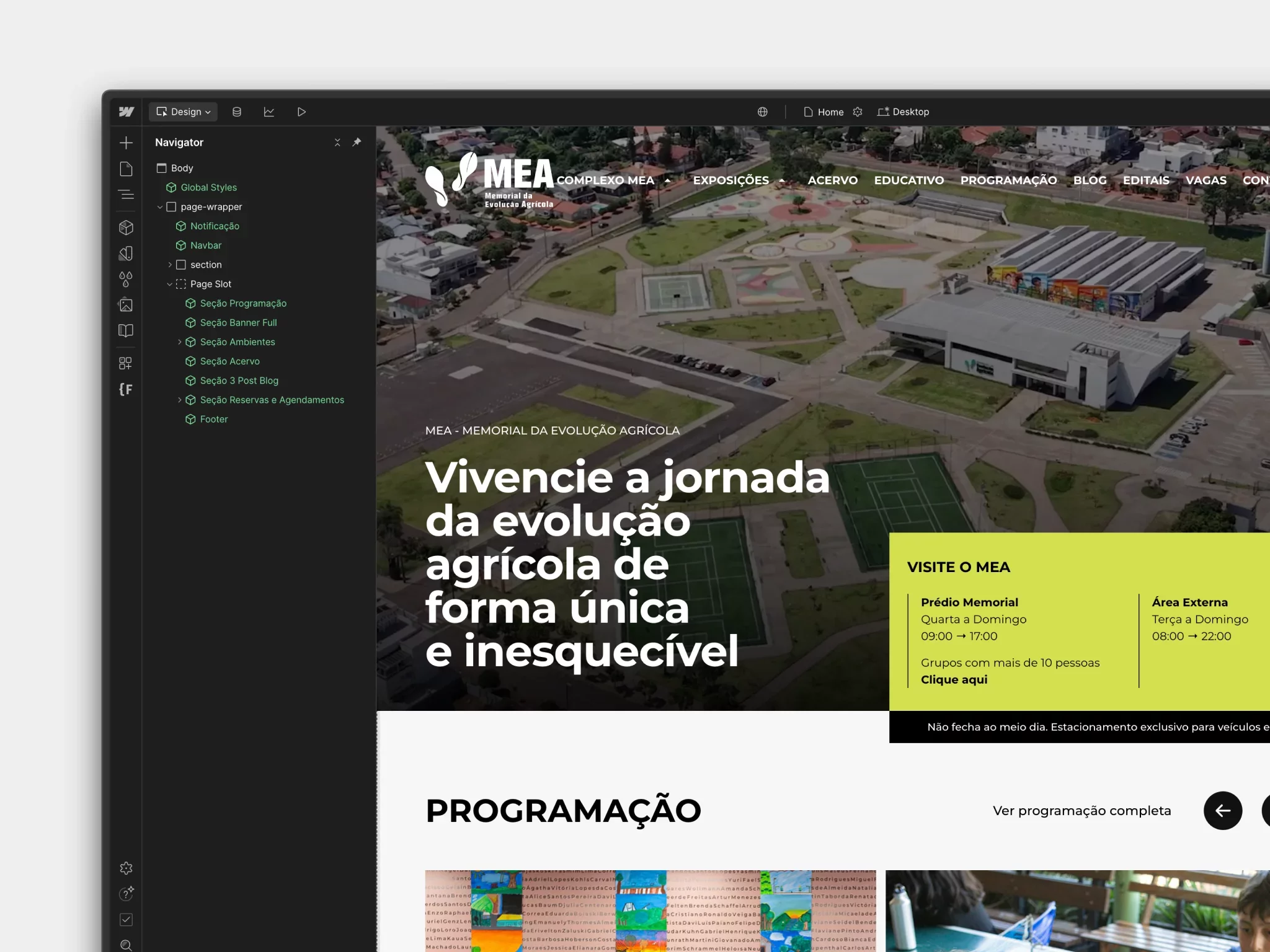 Launch of the new MEA website: a digital milestone for Latin America's largest memorial

Made with No-Code
This blog was developed in no-code: fast, flexible and scalable. Want to see it in practice?
I want to know
 Vamos falar sobre seu projeto?